AI
Zapier + ChatGPT: No‑Code Automations for Agents
By Khai Tran · · 5 min read
Connect a form, an AI drafting step, and a review queue in Zapier. Start with fictional test data and check the integration’s current access and billing requirements.
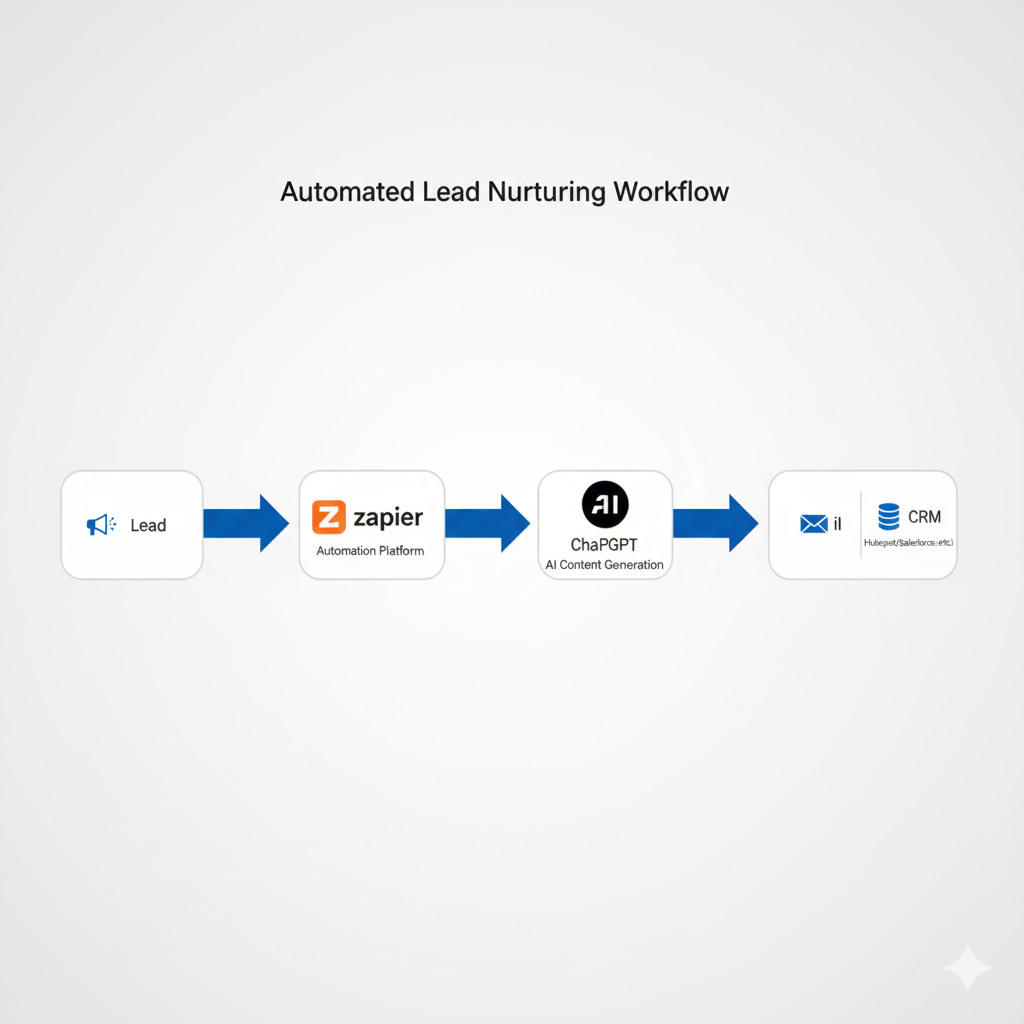
Connect a Repeated Task to a Draft
Zapier can connect an event in one app, such as a form submission, to actions in others. An AI step can draft a message or summarize information before you review it. Available actions, access, and charges depend on the current integrations and account setup. Check those requirements before buying a plan or enabling a workflow.
Start with fictional data. Confirm that you may send each data field to every service in the workflow, and review its storage and data-use settings. A ChatGPT subscription should not be assumed to include separate integration or API charges.
A First Workflow to Test
Let’s keep this practical.
Use a draft-only workflow so you can inspect the output before it reaches a client.
Automation: New Lead → Smart Follow-Up Draft
Trigger: New lead submitted via website form (Typeform, Google Form, or landing page)
Actions:
- Zapier sends only the permitted fields to the configured AI step.
- The AI step drafts a follow-up using those facts.
- The draft goes to a review queue with no automatic send action.
- You check the facts, recipient, contact permissions, and context before sending.
- The workflow records the approved next step in the appropriate system.
Why This Works
You’re not automating relationships you’re automating prep work.
You still review or send the message. But the blank-page problem disappears.
A Prompt to Test Inside Zapier
This prompt is simple, but structured.
ChatGPT Prompt Template
You are a professional real estate agent. Write a friendly, concise follow-up email to a new lead.
Lead Name: {{Name}} Inquiry Type: {{Interest}} Location: {{City}}
Tone: Professional, warm, and helpful. Length: 4 to 6 sentences. End with one clear question.
This prompt works because it gives:
- Role clarity
- Context
- Tone guidance
- Output constraints
That’s the difference between random AI output and usable automation.
Other High-Use Zapier ChatGPT Real Estate Automations
Once agents see one automation working, momentum builds fast.
These are additional workflows to test after the first one works reliably.
Lead Classification Automation
- Trigger: New lead added
- ChatGPT labels lead as buyer, seller, investor, or renter
- Zapier updates CRM tags automatically
Showing Feedback Summaries
- Trigger: Feedback form submitted
- ChatGPT summarizes comments into bullet points
- Summary queued for review before sharing with the client
Daily Activity Recaps
- Trigger: End of day
- ChatGPT summarizes calls, notes, and tasks
- One clean daily recap email
These aren’t “cool AI tricks.” They’re operational upgrades.
What to Watch Out For When Automating
A quick coach’s warning here.
AI automation should support judgment, not replace it.
Best practices I teach:
- Keep humans in approval loops early
- Start with drafts, not auto send
- Test prompts with fictional data, then use real records only with the required permissions
- Name your Zaps clearly
If something feels brittle, slow it down. Keep the workflow simple enough that you can inspect and troubleshoot it.
Measure the Work, Including Corrections
Record how long the task takes manually, how long the workflow takes, and how much review or cleanup it needs. Test duplicate submissions, missing fields, failed actions, and replies that should stop follow-up. Keep a way to pause the workflow and complete the task manually.
Download My Free 5 AI Automations Guide
For more workflow examples, download my free 5 AI Automations Guide. Adapt each example to your tools and review requirements.
Download the free 5 AI Automations Guide → https://khaitranofficial.com/ai-ops