AI
Use AI to Help With Follow-Up
By Khai Tran · · 5 min read
Start with a contact list, a next action and a draft you can review. Add automation only after you have tested the messages and stop rules.
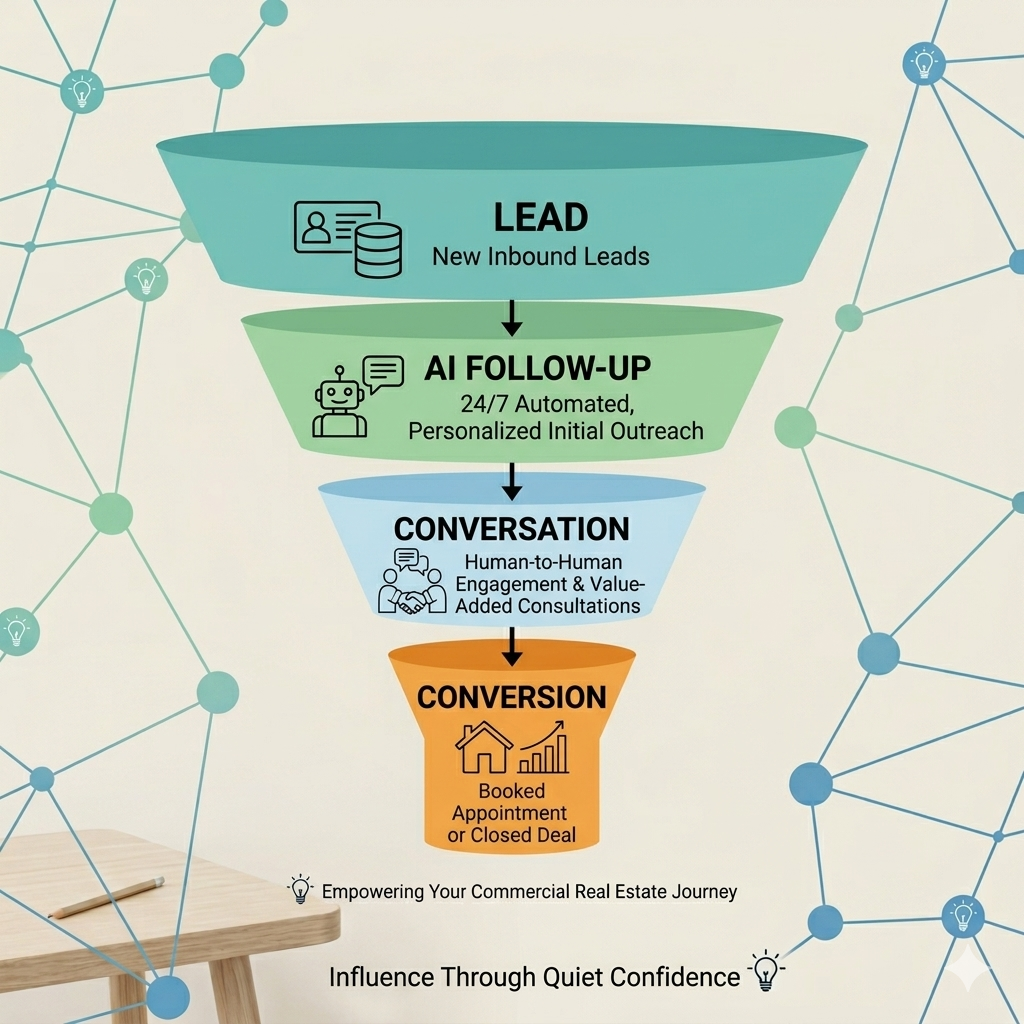
Follow-up can slip when you are busy or unsure what to say. A contact list, reminders and a few useful drafts can help you keep track. AI can support that work, but it does not guarantee a reply or catch every missed task.
What to Set Up First
- Keep the contact’s request and conversation history in one place.
- Record the next action and the channels they have agreed to use.
- Review drafts before sending them.
- Test reply and opt-out handling before starting a sequence.
The Real Problem: Follow-Up Fatigue
Let’s be honest.
Follow-up isn’t hard, it’s repetitive.
Common friction points:
- “What should I say?”
- “I don’t want to sound pushy”
- “I’ll reply later when I have time”
This mental load is what kills momentum.
A short draft and a reminder can make it easier to take the next step.
What an Effective AI Follow-Up System Looks Like
Build the workflow around the actual conversation and the person’s contact preferences.
Core components:
1. CRM Integration
Your leads live in one place (HubSpot, Follow Up Boss, etc.)
2. Trigger-Based Messaging
- New lead → instant response
- No reply in 24 hours → follow-up
- Inquiry about property → tailored sequence
3. Context-Aware Prompts
AI doesn’t send random messages, it responds based on:
- Lead source
- Conversation history
- Property interest
Simple AI Follow-Up Workflow You Can Steal
Here is a hypothetical sequence to adapt and test before using it with contacts:
Step 1: Instant Response (0, 5 minutes)
Hey [Name], saw your inquiry on [property/location]. Are you still looking, or just exploring options right now?
Step 2: Value-Based Follow-Up (24 hours)
Hey [Name], I pulled a few options similar to what you viewed. Want me to send them over?
Step 3: Soft Re-Engagement (3, 5 days)
Quick check-in, are you still interested in finding something in [area]? Happy to help if timing’s better now.
Step 4: Long-Term Nurture (weekly/monthly)
- Market updates
- New listings
- Price changes
Scheduling and sending depend on the tools you connect and the rules you configure. Review permissions, timing, replies and opt-outs before activating them.
Check What the Workflow Actually Does
Use a sample contact to test each step. Does the draft reflect the conversation? Does a reply stop the sequence? Does an opt-out prevent another message? Measure the time you spend, including review and corrections, before deciding what to automate.
How to Start (Without Overcomplicating It)
You don’t need advanced tech.
Start simple.
Your first version:
- Use ChatGPT (or similar AI)
- Create 3, 5 follow-up templates
- Plug them into your CRM or send manually
- Gradually automate triggers
Consistency first. Automation second.
Common Mistakes to Avoid
1. Over-automating too early
Keep human touchpoints where it matters.
2. Sounding robotic
Always review and refine your tone.
3. No system structure
AI without a workflow = chaos
Try One Follow-Up Task
Start with a draft and a reminder for a person who asked to hear from you. Check the result, then decide whether another step would help.
Download the free 5 AI Automations Guide → https://khaitranofficial.com/ai-ops